For many small businesses, a website is the main source of leads, sales, and customer trust. Yet, it’s often one of the most neglected assets when it comes to protection. A single server crash, cyberattack, or accidental update can wipe out years of work in seconds.
At SquareZix, we’ve seen businesses lose rankings, customer data, and revenue simply because they didn’t have a proper backup system in place.
This is where the 3-2-1 backup rule becomes essential—not just for IT teams, but for every business owner with a website.
Why Website Backups Are Critical for Small Businesses
Most business owners assume their hosting provider “handles everything.” Unfortunately, that’s not enough.
Discover Our Expertise
Explore our company profile to learn more about our Digital Transformation Services, and how we can help your business thrive in the digital world.
Without a backup strategy, you risk:
- Complete website downtime
- Loss of customer data and inquiries
- Broken SEO rankings after restoration delays
- Revenue loss during recovery time
- Security vulnerabilities after attacks
In competitive markets like Dubai and across the UAE, even a few hours of downtime can impact credibility and sales.
What Is the 3-2-1 Backup Rule?
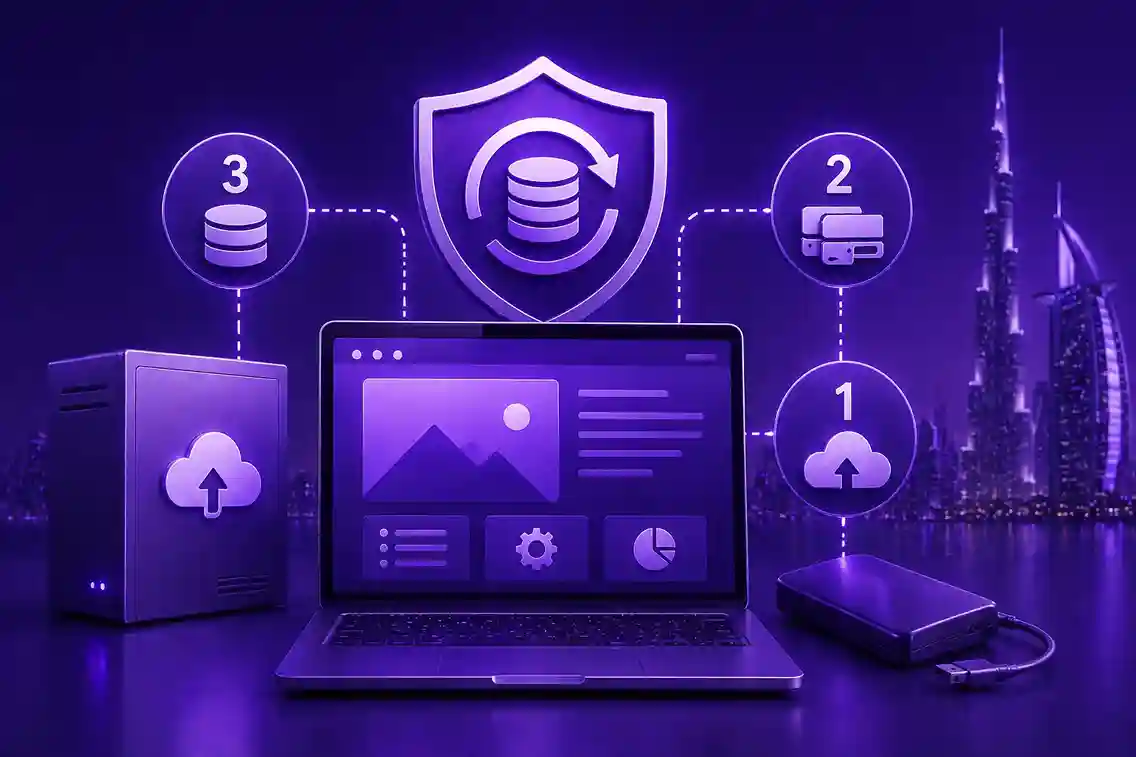
The 3-2-1 rule is a globally recommended data protection strategy that ensures your website data is always recoverable—even in worst-case scenarios.
It means:
- 3 copies of your data
- 2 different storage types
- 1 copy stored off-site
Let’s break it down.
1. Keep 3 Copies of Your Website Data
You should always maintain:
- The live website (production version)
- A primary backup copy
- A secondary backup copy
Why? Because relying on just one backup is risky. If that backup becomes corrupted or outdated, recovery becomes impossible.
2. Store Data in 2 Different Formats or Locations
Your backups should never be stored in the same way or place.
Examples:
- Server backup + cloud storage
- Local system backup + external drive
- Hosting backup + third-party backup tool
This reduces the risk of total data loss due to hardware failure or server issues.
3. Keep 1 Copy Off-Site
An off-site backup means your data is stored outside your main hosting environment.
This protects your website from:
- Server crashes
- Hosting provider failures
- Cyberattacks or ransomware
- Physical data center issues
Cloud storage services or remote backup servers are commonly used for this purpose.
Common Backup Mistakes Small Businesses Make
Many businesses think they are safe—but they’re not. Here are frequent mistakes:
- Relying only on hosting provider backups
- Not testing backup restoration
- Keeping outdated backups for months
- No automated backup system
- Storing all backups in the same location
A backup that cannot be restored quickly is almost as bad as having no backup at all.
How SquareZix Helps Businesses Stay Protected
At SquareZix, we implement structured backup strategies as part of our website development and maintenance services.
We ensure:
- Automated daily or weekly backups
- Secure off-site storage integration
- Version-controlled backups for easy rollback
- Regular restoration testing
- Monitoring to prevent data loss risks
This ensures your website is not only fast and SEO-optimized but also fully protected.
Backup Strategy and SEO: The Hidden Connection
Most people don’t realize that backups indirectly affect SEO.
If your website goes down and stays offline:
- Google may temporarily de-index pages
- Crawlers may reduce trust signals
- Traffic drops sharply
- Ranking recovery takes time
A strong backup system reduces downtime and protects your SEO performance.
Final Thoughts
The 3-2-1 backup rule is not just a technical guideline—it’s a business survival strategy.
For small businesses, your website is too valuable to risk. Whether it’s lead generation, e-commerce, or brand presence, losing your website means losing momentum.
At SquareZix, we help businesses build not just websites—but secure, scalable, and failure-proof digital systems.
Because in today’s digital world, it’s not just about building a website—it’s about making sure it never breaks your business.
Frequently Asked Questions (FAQs)
1. What is the 3-2-1 backup rule for websites?
The 3-2-1 backup rule means keeping 3 copies of your website data, storing them on 2 different types of storage, and keeping 1 copy off-site for maximum protection against data loss.
2. Why do small businesses need a website backup strategy?
Small businesses rely heavily on their websites for leads and sales. A backup strategy ensures quick recovery from crashes, hacks, or accidental data loss, minimizing downtime and revenue loss.
3. Is hosting backup enough to protect my website?
No, hosting backups alone is not enough. If the server fails or gets compromised, those backups may also be affected. A separate off-site backup is essential for full protection.
4. How often should website backups be taken?
It depends on how frequently your website is updated. For most small businesses, daily or weekly automated backups are recommended to ensure up-to-date recovery options.
5. What does “off-site backup” mean?
An off-site backup means storing a copy of your website data in a separate location from your main hosting server, such as cloud storage or a remote backup server.
6. Can backups help improve website SEO?
Indirectly, yes. Backups reduce downtime in case of issues, which helps maintain website availability, protects rankings, and prevents loss of traffic due to outages.
7. What happens if I don’t have a backup strategy?
Without a backup strategy, your business risks permanent data loss, long website downtime, loss of SEO rankings, and reduced customer trust if something goes wrong.